
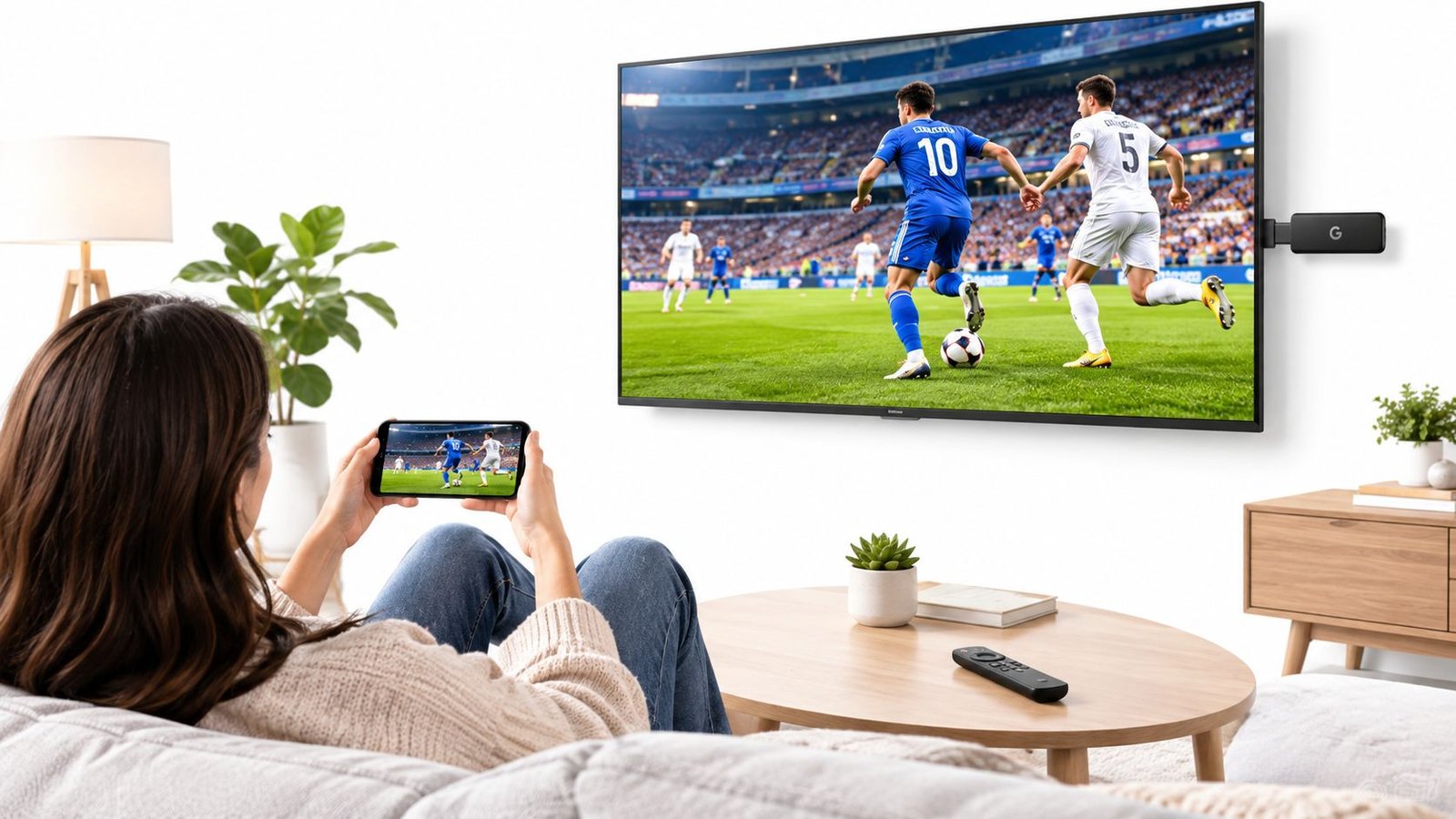
You're probably staring at the TV on a Monday night, remote in hand, wondering why the ESPN game you've watched forever suddenly feels harder to find than the old cable box ever did. The answer isn't that ESPN disappeared. It's that ESPN split into pieces, and most guides pretend that confusion is your fault.
If you want how to watch ESPN without cable subscription, stop looking for one magic app. There are really three routes, and only one of them is clean if you just want the main ESPN channel without paying for a pile of channels you'll never open. The rest comes down to whether you want the linear ESPN feed, a broader live-TV bundle, or a smaller direct app that does not replace the full channel lineup.
Table of Contents
- Why Cutting the Cord for ESPN Feels Harder Than It Should
- Three Legal Ways to Watch ESPN Without Cable
- Comparing Live TV Streaming Services That Carry ESPN
- Step-by-Step Setup From Subscription to Live Stream
- Free Trials, Promos, and Cancellation Timing
- Blackouts, Regional Limits, and Device Troubleshooting
- Which ESPN Option Is Right for Your Sports Habit
Why Cutting the Cord for ESPN Feels Harder Than It Should
A fan sits down for kickoff, opens the TV input, and then hits the wall. The game is on ESPN, but the screen wants a login, a bundle, or a different app entirely. That's the modern ESPN problem in one scene.
The friction comes from two separate realities. ESPN+ is not the same thing as the linear ESPN channel, and the newer standalone ESPN Unlimited product changed the math again. Disney's May 2025 announcement put the standalone ESPN service at $29.99 per month and said it would be the first time the full ESPN programming lineup would be available outside a traditional cable or satellite bundle, while ESPN+ would remain separate. The historical backdrop matters too, because ESPN still reached about 73.3 million U.S. pay-TV households as of April 2023, down from a peak of more than 100 million, which explains why so many people are now trying to replace cable entirely with streaming. Disney's ESPN streaming shift and pay-TV decline
The real decision you're making
You're not choosing between “ESPN” and “not ESPN.” You're choosing between:
- A live-TV bundle that carries the linear ESPN channel.
- The ESPN app with a provider login, which just mirrors that linear feed.
- A direct ESPN product, which may give you the right games, but not always the channel experience people expect.
That's why so many searches for how to watch ESPN without cable subscription go sideways. People sign up for the wrong tier, assume ESPN+ includes Monday Night Football, and only find out when the game starts. The rest of this guide cuts through that mistake and tells you which path fits your sports habit.
Three Legal Ways to Watch ESPN Without Cable
The cleanest way to think about this is simple. Linear ESPN is the live channel. ESPN+ is a separate subscription with a different library. ESPN Unlimited is the newer direct option that sits closer to the channel world, but it still isn't the same thing as buying cable again.
Path one, live-TV streaming bundles
Services like Sling Orange, Fubo, YouTube TV, Hulu + Live TV, and DIRECTV STREAM carry the ESPN linear channel in a bundle. That's the route for people who want live games, studio shows, and the ability to open the ESPN app with provider credentials afterward. Sling Orange is the recurring low-cost pick, while the broader bundles cost more because they include more channels and, in many cases, more simultaneous streams.
Path two, the ESPN app with a provider login
If your provider includes ESPN, you can usually sign into the ESPN app on a phone, tablet, browser, or TV device and watch the same live channel feed there. This is not a separate shortcut around paying for ESPN. It's just a different doorway into the same service you already bought through a provider.
Path three, direct ESPN products
The direct route is ESPN+ or ESPN Unlimited. ESPN+ is a separate catalog, not a replacement for the full linear network. ESPN Unlimited is the one to watch if you want a standalone ESPN product that gets closer to the main channel bundle without a live-TV subscription. For many viewers outside the U.S., availability is still limited by regional licensing, so check access before you assume a U.S. article applies to your market.
| Method | Includes Linear ESPN | Best For | Main Limitation |
|---|---|---|---|
| Live-TV streaming bundle | Yes | People who want the actual ESPN channel | Costs more if you only watch ESPN |
| ESPN app with provider login | Yes, through the app | Existing bundle subscribers who want app access | Requires a qualifying provider |
| ESPN+ or ESPN Unlimited | Not always, depending on tier | Viewers who want direct app access | ESPN+ is not the full channel |
Comparing Live TV Streaming Services That Carry ESPN
If you only care about price, start with Sling Orange. It's the cheapest recurring path people keep returning to for ESPN because it covers the channel without forcing you into a giant bundle you don't need. The tradeoff is obvious. You get less for your money, and the plan is less forgiving for a household that wants multiple sports channels, news, or extra simultaneous streams.
Fubo is the more expensive sports-first choice. It makes sense for fans who want a deeper sports lineup and are willing to pay for it. YouTube TV and Hulu + Live TV sit in the middle to upper range and make more sense for households that want ESPN plus a bigger live-TV replacement. DIRECTV STREAM also carries ESPN, but like the others, it stops being “cheap” once you start layering in the practicalities of live-TV pricing.
The right pick depends on whether you want a skinny ESPN solution or a proper cable replacement. If you're chasing the lowest entry cost, Sling Orange is the one to look at first. If you want broader live sports coverage, the bigger bundles stop being optional and start being the point. A practical comparison of live TV streaming services
Practical rule: don't pay for a full live-TV stack unless you'll actually use the extra channels. A lot of cord-cutters end up financing channels they never open.
| Service | Starting Price | Simultaneous Streams | DVR Included | ESPN+ Included |
|---|---|---|---|---|
| Sling Orange | $45.99/month | Limited compared with larger bundles | Not the main selling point | No |
| Fubo Sports | $55.99/month | Higher than Sling | Bundle-dependent | No |
| YouTube TV | Larger live-TV bundle pricing | Multiple streams | Yes | Not as a default substitute |
| Hulu + Live TV | Larger live-TV bundle pricing | Multiple streams | Yes | Bundle-dependent |
| DIRECTV STREAM | Larger live-TV bundle pricing | Multiple streams | Bundle-dependent | No |
The cheapest plan is not always the cheapest outcome. If you only need one game, a skinny plan looks smart. If your household keeps the subscription for months because nobody canceled it, the “cheap” pick starts looking expensive.
Step-by-Step Setup From Subscription to Live Stream
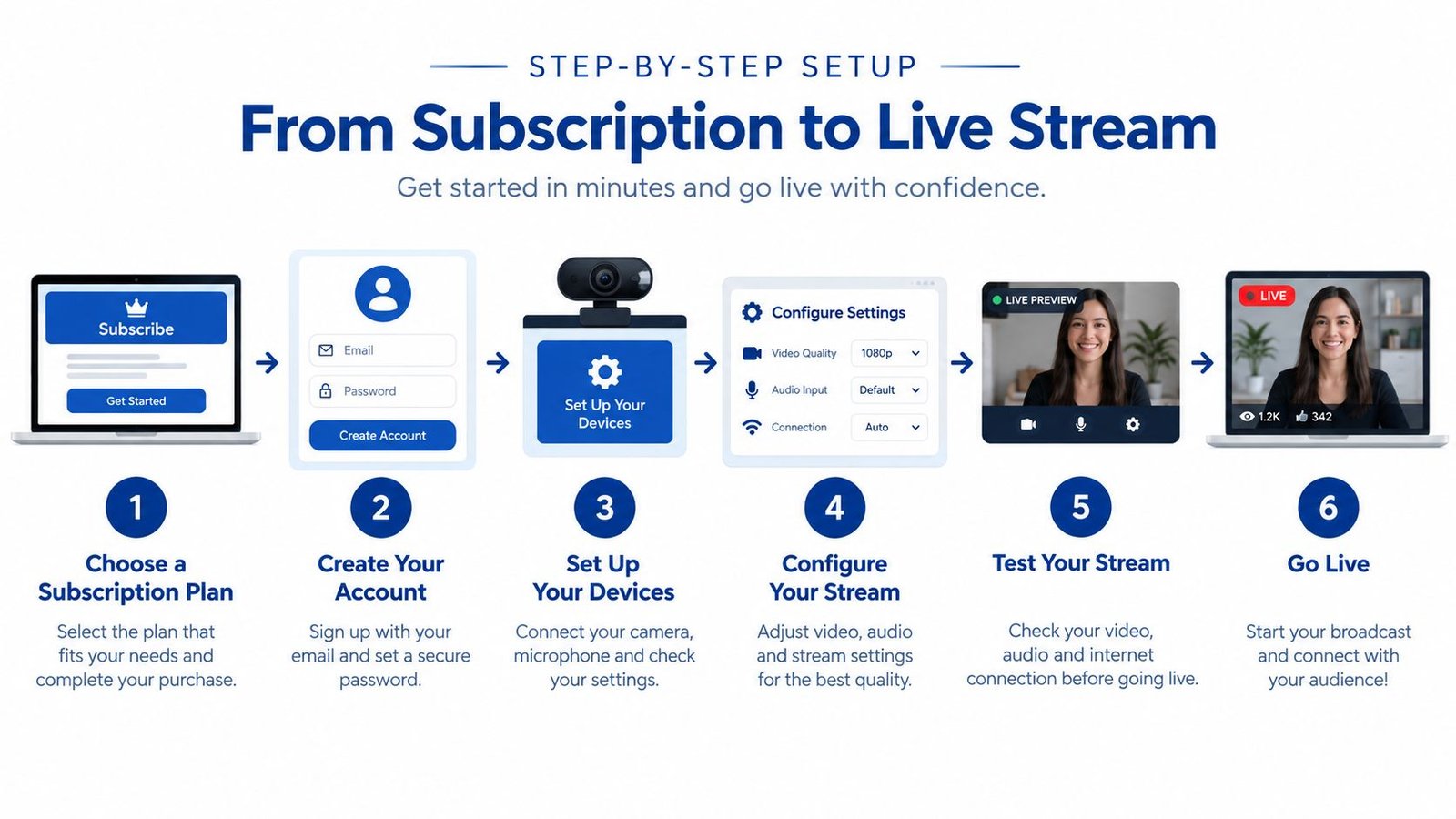
The setup itself is boring in a good way if you do it correctly. Pick the service first, then make the app part of the process, not an afterthought. Most failures happen because people buy the wrong tier, skip the login check, then blame the device when the issue is really the plan.
- Choose a provider that carries ESPN. Confirm that the plan includes the linear ESPN channel, not just a separate sports library.
- Create the subscription on the provider's site. Don't finish checkout until you've confirmed the price and the exact plan name.
- Install the ESPN app on your device. Roku, Fire TV, Apple TV, Android TV, smart TVs, phones, and browsers are all common starting points.
- Sign in with provider credentials. Use the TV provider or live-TV login, not a random ESPN+ account if the channel you want is the linear feed.
- Open the live ESPN section. Look for the TV provider authentication area inside the app, then test the live channel before game day.
- Save the login details. If the app logs out later, you don't want to spend the first quarter retyping credentials.
Mobile viewing adds one more wrinkle. Some devices want location permissions or home-network checks, so enable what the app asks for on iOS or Android. If you want the game on the TV, cast from your phone only after the app proves the feed is live.
Don't troubleshoot on Sunday night. Test the login on a random afternoon, because that's when you'll find out whether the app recognizes your provider.
Before kickoff, double-check the plan tier, the ESPN app login, the device's time and location settings, and whether the live feed appears inside the provider-authenticated section. If one of those pieces is wrong, the rest of the setup won't save you.
Free Trials, Promos, and Cancellation Timing
Trial offers are the easiest way to overpay for ESPN. Fubo and DIRECTV STREAM still run free trials, Sling TV does not offer a standard trial, and ESPN Unlimited has no standard trial either. If you want the cheapest short-term access, use a trial-based live TV service, then be ready to cancel before the clock runs out.
The mistake is predictable. A fan signs up for one big game, watches it, and forgets the renewal date. The service then bills the full monthly rate unless the cancel step is done first. Set the reminder the day you subscribe, not after kickoff. For a one-week test around a Monday night game or a playoff stretch, cancel 24 hours before renewal so you do not get caught by a pending charge.
| Provider | Trial Length | ESPN Included? | Price After Trial |
|---|---|---|---|
| Fubo | Available | Yes on qualifying plans | Monthly rate applies |
| DIRECTV STREAM | Available | Yes on qualifying plans | Monthly rate applies |
| Sling TV | No standard trial | Yes on Sling Orange | Monthly rate applies |
| ESPN Unlimited | No standard trial | Direct ESPN option | Monthly rate applies |
The cost trap is the add-ons. Cloud DVR, extra streams, and premium channel bundles can turn a trial into a much pricier month if you keep the account alive. Treat the trial as a test drive, not a plan. If the service only works for one event and the normal price feels wrong, cancel it before the renewal hits.
Blackouts, Regional Limits, and Device Troubleshooting
Sports streaming still runs into location rules, and ESPN isn't magic. MLB, NBA, and NHL in-market games can be restricted by local rights, NFL Sunday games live on CBS and Fox rather than ESPN, and college coverage can depend on conference footprint and licensing. If you're trying to watch a game that isn't on the ESPN linear channel, the issue may be the broadcast rights, not your subscription.
Mobile apps and TV apps also behave differently when they check your location. On phones, the app may use device permissions. On TVs, it often depends on the account and network context. Using a VPN can break the terms of service and may block playback, so don't build your setup around that. If your provider asks for a ZIP code or home location, make sure it matches the billing account, not an old address you forgot to update. For more on the bandwidth side of setup, see internet speed guidance for IPTV and streaming.
If the app fails anyway, start with the basics.
- Clear the cache: Old app data often causes the ESPN app to hang on login screens.
- Re-authenticate the provider: Log out, then sign back in with the correct TV credentials.
- Check the account type: ESPN+ and ESPN Unlimited are not interchangeable with provider-authenticated live ESPN access.
- Test the HDMI chain: Older setups can trigger HDCP errors, especially with aging cables or adapters.
- Verify location settings: A mismatched ZIP code or denied location permission can block live playback.
If the game won't load, the subscription is only one possible failure point. The device, login, and location check can all break first.
Solve the simplest layer first. A lot of people chase account problems when the issue is a stale app session or a bad HDMI handshake.
Which ESPN Option Is Right for Your Sports Habit
A live sports fan has three real choices here. If you only chase the ESPN game window and want the lowest bill, Sling Orange still makes sense. If your habit includes more live channels and more screens, Fubo, YouTube TV, Hulu + Live TV, and DIRECTV STREAM are the bundle options to compare. If you care more about ESPN itself than about a giant channel stack, the new standalone ESPN route deserves the closest look.
The mistake is treating ESPN+ and linear ESPN as the same thing. They are not. If your weekends revolve around college games, studio shows, or the events that sit on the main ESPN channels, the standalone ESPN product is the cleaner fit. If your viewing is broader and the household wants one subscription that covers everything from sports to local channels, a live TV bundle still earns its keep.
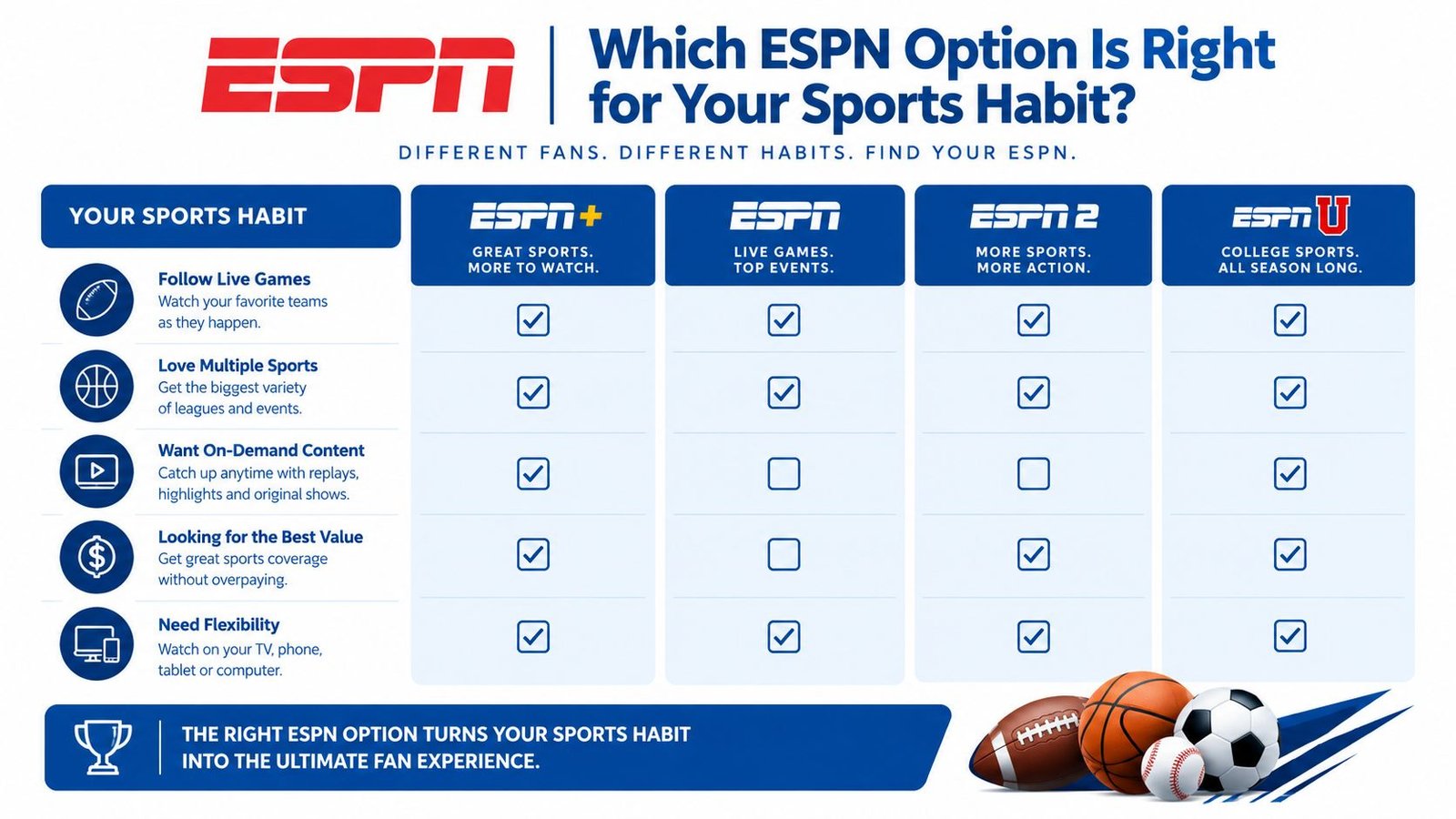
Cost only matters if it matches your actual viewing pattern. If you watch two ESPN games a month for four months, a cheaper bundle can still waste money once you price in everything you never use. Compare the Fubo cost breakdown against your own lineup at this detailed Fubo TV cost analysis before you commit.
Use this checklist before you subscribe:
- Must-have channels: Write down ESPN, ESPN2, and any local channels you need.
- Monthly ceiling: Set your top number and ignore anything above it.
- Device support: Confirm your TV, phone, or streaming box works with the app.
- Trial end date: Mark it before the first stream starts.
- Cancel rule: Set the reminder the same day you subscribe.
The right ESPN setup is the one you can keep using without thinking about it every week.
Generated with Outrank