
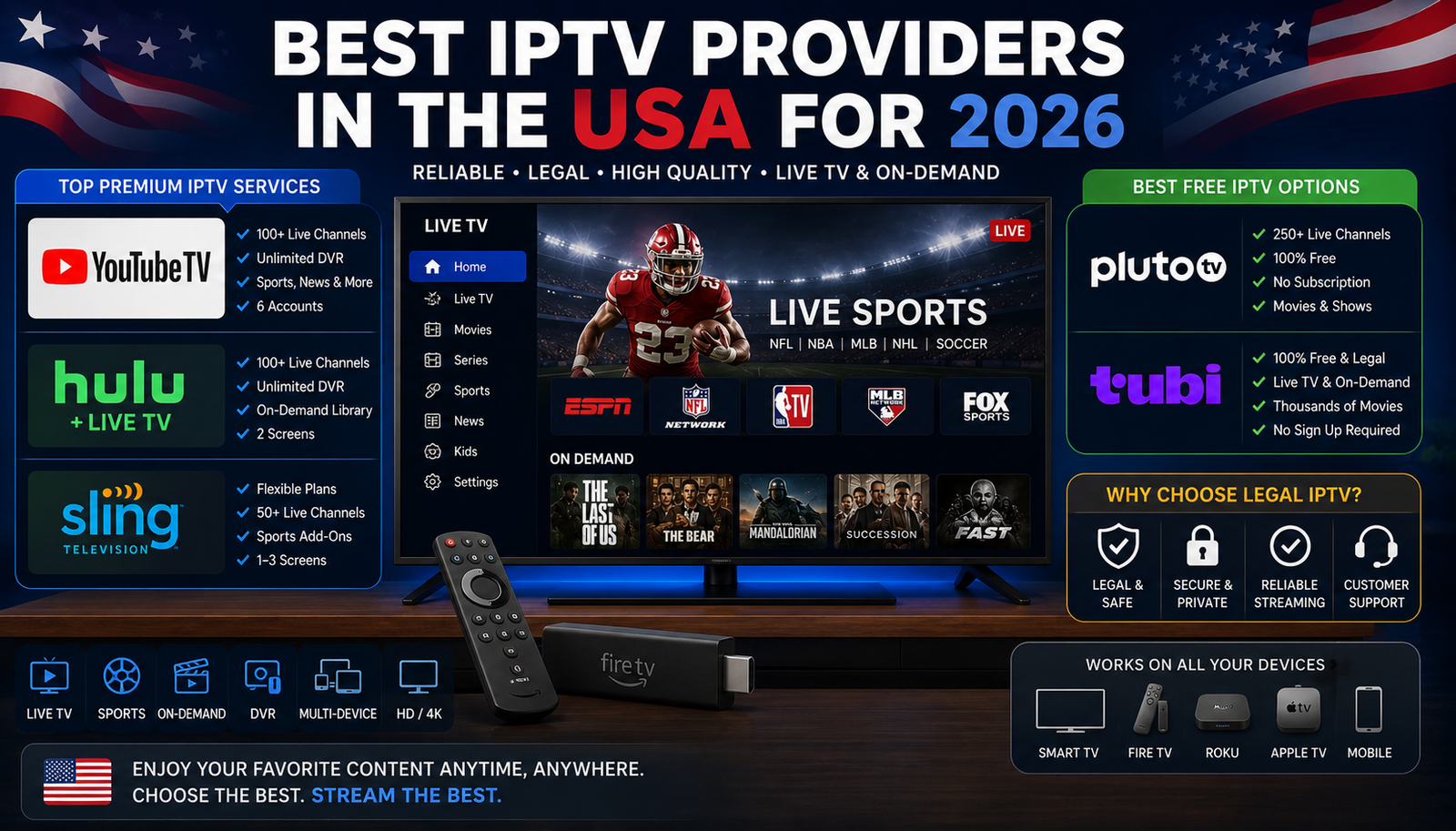
IPTV is no longer a niche way to watch television. In 2026, many of the most reputable IPTV providers are simply legal live TV streaming services that deliver channels over the internet instead of through a cable box or satellite dish. This guide focuses on recognizable, legitimate options for viewers in the United States, including paid live TV bundles, budget services, and free ad-supported platforms.
The goal is not to chase suspicious “all channels for cheap” deals. It is to help you choose reliable IPTV that fits your budget, devices, channel needs, and comfort level while avoiding services that may expose you to malware, billing problems, or copyright risk.
What makes an IPTV provider reputable?
A reputable IPTV provider has clear ownership, transparent pricing, official apps, recognizable channel relationships, customer support, and terms of service that explain what you are buying. In practical terms, that means you can subscribe directly through the provider, download the app from major app stores, cancel through a normal account dashboard, and verify the channel lineup before paying.
The phrase IPTV from USA can be confusing because some sites use it to promote unofficial channel bundles. A legal service offering IPTV in the US will normally identify its programming, billing terms, supported devices, and geographic availability. If a seller only uses encrypted chat apps, asks for cryptocurrency, promises every premium channel at a tiny price, or avoids naming licensing partners, treat that as a warning sign.
A reputable option should offer:
- Transparent plans: You can see pricing, trial terms, add-ons, and renewal details before entering payment information.
- Official apps: The service appears in trusted app stores or runs through a secure web player.
- Clear channel information: You can check local channels, sports networks, news channels, and entertainment networks by plan.
- Normal support: There is a help center, account portal, or customer service path.
- Legal free options: Free IPTV can be legitimate when it is ad-supported and distributed by known platforms such as Pluto TV, Tubi, Roku, or Plex.
- No unrealistic promises: “Every sports package, every movie channel, every pay-per-view event” for a few dollars usually signals trouble.

The best legal IPTV choices in the US
The best IPTV USA service depends on what you actually watch. Sports-heavy households may need a very different bundle from viewers who mostly want entertainment, Hallmark-style programming, classic TV, or free background channels. Below are reputable IPTV providers and legal streaming platforms worth considering in 2026.
YouTube TV
YouTube TV remains one of the easiest recommendations for households that want a cable-like experience without the cable installation. It offers a broad live TV lineup, local availability in many markets, a familiar interface, and household sharing features. Google’s support documentation says YouTube TV includes live TV from 100+ broadcast, cable, and regional sports channels, while its plan page describes a main YouTube TV plan plus more specialized genre-based options. (support.google.com)
This is a strong fit if you want one service for news, sports, entertainment, and major broadcast networks. It is also useful for families because account sharing inside a household is built into the membership structure. As with any live TV service, confirm local channels and regional sports availability before subscribing, because those details can vary by location.
Hulu + Live TV
Hulu + Live TV is a good choice for viewers who want live channels and a large on-demand streaming library in one account. Hulu’s live TV page lists Hulu + Live TV with Disney+ and ESPN access, and Hulu’s channel guide describes plans that include 100+ live channels. (hulu.com)
The practical benefit is consolidation. If you already use Hulu, Disney+, or ESPN-related content, a live TV plan can reduce the number of separate apps you open every night. It may not be the cheapest form of IPTV in the US, but it can be convenient for households that watch both current live programming and on-demand shows.
Sling TV
Sling TV is often attractive to cord-cutters who want a more flexible live TV package. Its official help content describes different plan choices, and Sling launched Sling Essentials in 2026 as a compact package positioned around ESPN and family channels. (directv.com)
Sling is best for viewers who are willing to compare packages carefully. Rather than paying for one large bundle, you can often start smaller and add themed channel packs. That flexibility is useful, but it also means you should map your must-have channels before signing up so you do not accidentally rebuild an expensive cable package through add-ons.
DIRECTV streaming plans
DIRECTV’s streaming plans are designed for viewers who still want a premium, traditional TV-style lineup but prefer internet delivery. DIRECTV’s plan page describes streaming packages with up to 185+ channels and smaller Genre Pack options, while another official page notes Signature Packages with 150+ channels. (directv.com)
This can be a strong option for households that care about a familiar guide, broad channel coverage, and sports or regional programming. It may feel closer to conventional pay TV than some leaner IPTV providers. Because packages and fees can differ, review the checkout page closely before committing.
Fubo
Fubo is commonly considered by sports-first viewers. Its help center provides tools for comparing channels across plans, and company materials from 2026 referenced several subscription options, including Fubo Sports, FuboTV Pro, and Fubo Latino. (support.fubo.tv)
Fubo can make sense if live sports are the reason you are replacing cable. It is also worth considering for Spanish-language viewing through Latino-oriented options. As always, check the exact networks you need, especially regional sports networks, because live sports rights can be fragmented and location-specific.
Philo
Philo is one of the most budget-friendly paid live TV services for viewers who do not need major sports or local broadcast networks. Philo’s pricing page lists an Essential plan with 70+ live pay TV channels, 100+ free channels, a 7-day free trial, and 1-year unlimited DVR, while its help center describes both Essential and Bundle+ plan options. (philo.com)
This is reliable IPTV for viewers who mostly watch entertainment, lifestyle, reality, documentary, and classic cable networks. It is not ideal if your main needs are NFL games, local news, or major broadcast channels. For the right viewer, though, Philo can be a clean and affordable way to keep a familiar TV guide.
Frndly TV
Frndly TV focuses on feel-good entertainment, family-friendly channels, classic programming, and lifestyle content. Its support page says every plan includes the same 50+ live channels and on-demand library, with Basic, Classic, and Premium tiers differing by features such as HD, DVR, and simultaneous streams. (help.frndlytv.com)
Frndly TV is not trying to be everything. That is its advantage. If your household wants Hallmark, A&E, History, Lifetime, The Weather Channel, MeTV-style programming, and similar channels, it can be a simple alternative to larger bundles.
Pluto TV
Pluto TV is a legitimate free IPTV option for people who want live-style channels without a subscription. Its official site promotes free live TV streaming across devices through the Pluto TV app. (pluto.tv)
The tradeoff is that Pluto TV is not a cable replacement in the full sense. You usually will not get the same local broadcast lineup, premium sports rights, or new cable episodes found in paid bundles. But for free movies, themed channels, news-style programming, and lean-back viewing, it is one of the easiest legal free IPTV services to try.
Tubi
Tubi is another legal free IPTV and on-demand option. Tubi’s help center lists live TV channels in the US and notes that channel availability may change and can vary by geographic location. (tubitv.com)
Tubi works well as a supplement to a paid service or as part of a no-cost streaming setup. It is especially useful if you like browsing movies, older shows, niche channels, and ad-supported live streams. Because it is free and legal, it is a much safer choice than unknown sites claiming to offer premium channels for nothing.
The Roku Channel
The Roku Channel is a strong free choice, especially for Roku device owners. Roku’s official support page says The Roku Channel includes thousands of free TV shows and movies, Roku Originals, kids’ content, and 350+ live TV channels. It also explains that Roku TVs with antennas can combine over-the-air channels with free live streaming channels in one guide. (support.roku.com)
That antenna integration matters. If you can receive local broadcast stations over the air, you may be able to pair free local channels with free streaming channels and reduce your need for a paid bundle. This setup will not satisfy every sports fan, but it can be surprisingly useful for budget-conscious households.
Plex Free Live TV
Plex offers free ad-supported live TV in addition to its well-known personal media features. Plex support says its free live TV does not require tuner hardware or an antenna and is available through many supported apps, including smart TV platforms, mobile devices, Roku, Apple TV, Fire TV, game consoles, and desktop apps. (support.plex.tv)
Plex is a good fit if you like customizing your media experience. Its live channels can sit alongside personal media libraries and on-demand discovery features. It is not a direct substitute for a full live TV bundle, but it is a reputable free IPTV-style option.
Is free IPTV safe and legal?
Free IPTV is safe and legal when it comes from a legitimate ad-supported platform, broadcaster, device maker, or network app. Free does not automatically mean illegal; Pluto TV, Tubi, The Roku Channel, and Plex are examples of legal free IPTV-style services that use ads, distribution agreements, or owned content libraries to support access.
The danger is unofficial “free iptv” that claims to unlock premium sports, pay-per-view events, movie channels, and international channel packs without explaining rights or licensing. The FTC has warned that illegal pirate apps and add-ons can bring malware with them, and the FBI has cautioned consumers to avoid streaming devices that claim to provide free sports, TV shows, and movies because they may contain malware or backdoors. (consumer.ftc.gov)
Use this quick safety checklist before trying any free service:
- Look for a real company name. If you cannot identify who operates it, skip it.
- Use official app stores. Install from Roku, Apple, Google, Amazon, Samsung, LG, or the provider’s verified website.
- Avoid sideloaded APK files. Unknown Android apps are a common risk area.
- Question unrealistic lineups. Premium sports, new movies, and every cable channel for free is not a normal legal offer.
- Do not share unnecessary data. A free TV app should not need sensitive financial or identity information.
- Read the ads and pop-ups carefully. Aggressive download prompts, fake virus alerts, or strange browser redirects are red flags.
- Use separate passwords. Never reuse your banking, email, or primary streaming password on a new entertainment site.
Online IPTV players and apps
An online IPTV player is just the software used to watch a stream. It can be a provider’s web player, a smart TV app, a mobile app, a streaming device app, or a playlist-style player that loads channel feeds. The player itself does not make a stream legal or illegal; the important question is whether the content source has permission to distribute those channels.
For most viewers, the safest online IPTV player is the official app or website from the provider you pay. YouTube TV, Hulu + Live TV, Sling, Philo, Frndly TV, and other reputable iptv providers maintain their own apps and support documentation. That gives you updates, account controls, parental settings, billing access, and a clearer path to help if something breaks.
Be more cautious with generic playlist players. Some are legitimate tools, but they are often used with unverified M3U links sold by anonymous resellers. If a playlist gives access to channels that normally require expensive rights deals, assume you need to verify the source before using it.

Matching a provider to your viewing habits
The easiest mistake is choosing the service with the longest channel list. A huge lineup sounds impressive, but it does not help if you only watch six channels. A better approach is to start with your must-haves, then choose the least complicated reputable service that covers them.
For sports fans
Start with YouTube TV, Hulu + Live TV, DIRECTV, Fubo, and Sling. Compare national sports networks, league channels, local broadcast stations, and regional sports networks. Pay close attention to your ZIP code, because sports availability can change based on market and rights.
For local channels and news
Look first at YouTube TV, Hulu + Live TV, DIRECTV, and possibly an antenna paired with The Roku Channel’s live guide. Local channel availability is one of the biggest differences between paid IPTV in the US and free ad-supported services. If local ABC, CBS, FOX, NBC, or PBS access matters, verify it before subscribing.
For entertainment on a budget
Philo, Sling, and Frndly TV are worth comparing. Philo is stronger for general entertainment and lifestyle networks, Frndly TV is strong for feel-good and classic programming, and Sling can be shaped around specific packages. These options may help you avoid paying for sports-heavy bundles you do not watch.
For free background TV
Pluto TV, Tubi, The Roku Channel, and Plex are the easiest places to start. They are not full replacements for premium live TV, but they can cover movies, reruns, themed channels, news clips, documentaries, and casual viewing. Many households can combine one paid service with two or three free apps and get a better overall mix.
Red flags that a provider is not reputable
Illegal or unreliable IPTV services often look attractive because they promise more content for less money. The problem is that the savings can come with unstable streams, disappearing sellers, stolen credentials, malware exposure, and no real customer protection. Anti-piracy research published in 2026 by the Alliance for Creativity and Entertainment reported higher cyber-risk exposure on piracy sites and IPTV piracy destinations compared with mainstream websites. (alliance4creativity.com)
Be careful if you see:
- A seller promising every premium channel, live sports event, and movie library for a very low monthly fee.
- No official website beyond a social media page, chat handle, or marketplace listing.
- Payment requests through cryptocurrency, gift cards, friends-and-family transfers, or other hard-to-dispute methods.
- Instructions to disable device security, sideload unknown apps, or ignore malware warnings.
- No refund policy, company address, privacy policy, or terms of service.
- Channel lists copied from multiple countries with no explanation of licensing.
- Claims that a VPN automatically makes the service legal.
A VPN can protect privacy in some contexts, but it does not license copyrighted channels. If the underlying service is unauthorized, using a VPN does not turn it into reliable IPTV.
A simple decision framework
Before you subscribe, write down the channels and features that matter most. Then compare providers based on real use, not advertising language.
Use this process:
- List your must-have channels. Separate “must have” from “nice to have.”
- Check local coverage. Use each provider’s channel lookup or trial period.
- Decide your sports needs. Sports are often the reason live TV gets expensive.
- Test the app experience. Try it on the device you actually use at night.
- Review DVR and streams. Make sure the household can watch and record comfortably.
- Add free IPTV legally. Use Pluto TV, Tubi, Roku, or Plex to fill casual viewing gaps.
- Recheck after one billing cycle. Cancel anything you are not using.
This framework keeps you from overbuying. It also helps you ignore suspicious offers that compete on unrealistic channel counts instead of real service quality.
Final takeaway
The most reputable IPTV providers for 2026 are the ones that make licensing, pricing, apps, and support easy to verify. For full live TV, start with YouTube TV, Hulu + Live TV, Sling, DIRECTV, Fubo, Philo, and Frndly TV. For legal free IPTV, add Pluto TV, Tubi, The Roku Channel, and Plex to your shortlist.
The best setup may not be one provider. Many viewers will get better value from one paid live TV service, one antenna if local reception is good, and a few free ad-supported apps. Choose the service that matches your real viewing habits, avoid anonymous “too good to be true” sellers, and your IPTV experience will be simpler, safer, and more reliable.
One Reply to “What makes an IPTV provider reputable?”