

Yes, you can watch ESPN without cable, and you have real choices now. Subscribe to ESPN Unlimited for the full live channel lineup, or pick a live-TV streamer like Sling Orange, YouTube TV, Hulu + Live TV, or Fubo. ESPN Unlimited runs mid-range in price, Sling Orange is the cheapest live-TV route, and ESPN Select, ESPN’s on-demand library tier, does not include the live ESPN channel at all.
TL;DR:
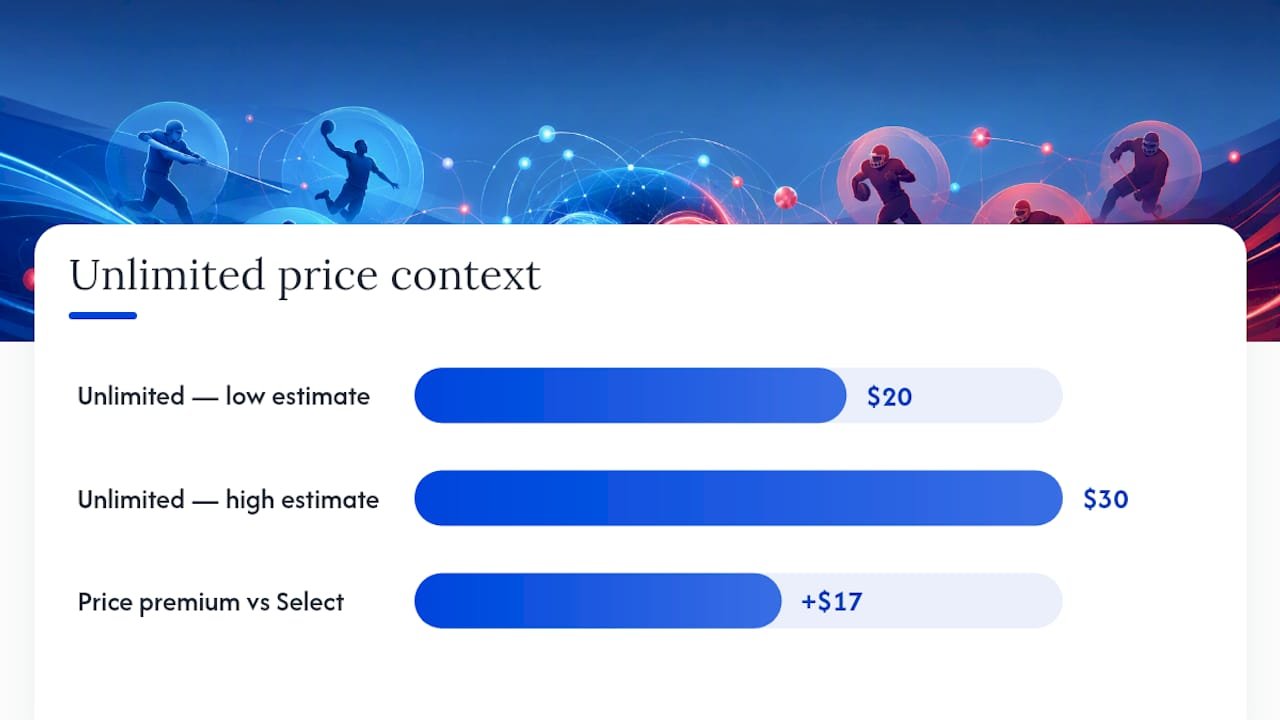
- ESPN Unlimited includes live ESPN channels, live sports on-demand, and costs roughly $20 to $30 per month, making it suitable for live game viewers.
- Live-TV streamers like Sling Orange, YouTube TV, Hulu + Live TV, and Fubo all carry ESPN, with Sling Orange offering the lowest entry price.
- Regional sports fees and local channel availability vary significantly by ZIP code and service, influencing the total monthly cost.
- Free trials of live-TV services can provide temporary access to ESPN, but standalone ESPN Select does not offer a free trial for live sports.
- A licensed IPTV package may offer better value for viewers wanting many channels beyond ESPN, provided it is transparent and device-compatible.
Table of Contents
- ESPN Streaming Options: Best Picks at a Glance
- What ESPN Select and ESPN Unlimited Actually Include
- Choosing a Live-TV Streamer That Carries ESPN
- How Do You Sign Up for ESPN Unlimited?
- Can You Watch ESPN Free with a Trial?
- When a Legal IPTV Package Beats Another Live-TV Subscription
- Where to Go Next for Streaming Comparisons
- Sources
ESPN Streaming Options: Best Picks at a Glance
If you only remember one thing from this article, remember this: the plan you need depends entirely on whether you watch live games or just highlights and originals.
Best standalone for full ESPN access: ESPN Unlimited, because it streams the actual live ESPN channels through the ESPN app with no live-TV bundle required. Best budget live-TV pick: Sling Orange, since it includes ESPN at the lowest live-TV entry price on the market. Best full-service option: YouTube TV, which pairs ESPN with the broadest channel lineup and unlimited DVR. Best for die-hard sports fans: Fubo, thanks to its deep bench of regional and niche sports networks. Best bundle value: Hulu + Live TV, which folds in Hulu’s on-demand catalog alongside live channels.
A few caveats worth flagging before you commit to any plan: regional sports network fees can quietly add several dollars to your monthly bill, local channel coverage varies by ZIP code and provider, and most of these services cap you at one stream unless you pick a higher tier.
What ESPN Select and ESPN Unlimited Actually Include
ESPN’s direct-to-consumer streaming launch split the service into two distinct tiers, and confusing them is the single most common mistake new subscribers make. ESPN Select is the rebranded ESPN+ library: original programming, select live events, and on-demand replays, but no access to the live linear ESPN channel. ESPN Unlimited adds that missing piece: live ESPN, ESPN2, ESPNU, the SEC Network, the ACC Network, and full ESPN+ content on top.
That distinction matters because ESPN Support confirms Select simply does not carry the live channel, period. If your Sunday plans involve:
- Monday Night Football
- Live NBA or college basketball broadcasts on ESPN’s linear networks
- Real-time SportsCenter coverage
then Select won’t get you there. You need Unlimited or a live-TV streamer that carries ESPN.
Pricing analysts estimate Unlimited sits in the $20 to $30 range, roughly $17 above Select. That gap is the real decision point: pay it if you watch live games regularly, skip it if you mostly want documentaries and on-demand replays. Reviewer testing confirms Select was never designed to replace the live channel for fans who need real-time coverage.
Choosing a Live-TV Streamer That Carries ESPN
Sling Orange, YouTube TV, Hulu + Live TV, Fubo, and DIRECTV Stream all carry ESPN, but they solve different problems. Here’s how to think through the trade-offs:
- Sling Orange wins on price. It’s consistently the cheapest live-TV option that includes ESPN, but you’re limited to one stream at a time and the local channel lineup is thin.
- YouTube TV is the closest thing to a cable replacement. Unlimited DVR, strong local coverage, and multiple simultaneous streams make it the pick for households sharing one account, though you’ll pay more for it.
- Fubo stacks the deepest sports channel bench of the bunch, which suits fans chasing regional networks beyond ESPN, but that breadth pushes the price up.
- Hulu + Live TV and DIRECTV Stream sit in the middle. Hulu bundles in its on-demand library, which pairs naturally with Disney+ and ESPN content, while DIRECTV Stream offers tiered packages that mimic old-school satellite bundles.
Pro Tip: Check your ZIP code on each provider’s site before signing up. Regional sports fees and local channel availability shift by market, and what your neighbor pays isn’t always what you’ll pay.
How Do You Sign Up for ESPN Unlimited?
Activating ESPN Unlimited takes about five minutes whether you’re going standalone or through a provider you already pay for.
- Create or sign in to a MyDisney account. This is the same login system used across Disney+, Hulu, and ESPN.
- Choose Select or Unlimited. Pick based on whether you need the live channel, as covered above.
- Enter payment and start streaming, or, if you already subscribe to a qualifying provider, link it instead of paying again.
Multiple pay-TV providers already qualify for pass-through access, including Hulu + Live TV, Fubo, DIRECTV, Spectrum, Verizon FiOS, U-verse, and Cox. Open the ESPN app, find the provider sign-in option, and link your account. Disney’s own help documentation walks through this activation flow for anyone who gets stuck. If the app won’t recognize your login, update the app first, confirm your account is active on the provider’s side, and restart the device before trying again.
Can You Watch ESPN Free with a Trial?
Short-term, legal access to ESPN is possible if you’re strategic about it. Several live-TV services run free trials long enough to cover a big game or a short stretch of the season:
- YouTube TV: up to 14 days
- Fubo: up to 21 days
- Sling: occasional promotional windows
ESPN Select rarely offers a free trial on its own. Trials almost always run through live-TV providers that bundle ESPN into a larger channel package, not through ESPN’s standalone tiers.
If you only need ESPN for a handful of games a year, a practical approach is to use a live-TV free trial timed to your schedule, paired with a reminder to cancel before billing starts; an antenna covers local broadcast games meanwhile.
Watch for blackout restrictions on out-of-market games, and steer clear of unlicensed IPTV sources promising “free ESPN forever.” Those services violate content licensing agreements and frequently vanish with your payment information attached.
When a Legal IPTV Package Beats Another Live-TV Subscription
Some readers land here wanting ESPN and nothing else. Others want ESPN alongside dozens of other channels without stacking three separate subscriptions. That second group is where a properly vetted, licensed IPTV package earns its keep, and it’s the scenario Iptv-subscribe spends most of its time evaluating.
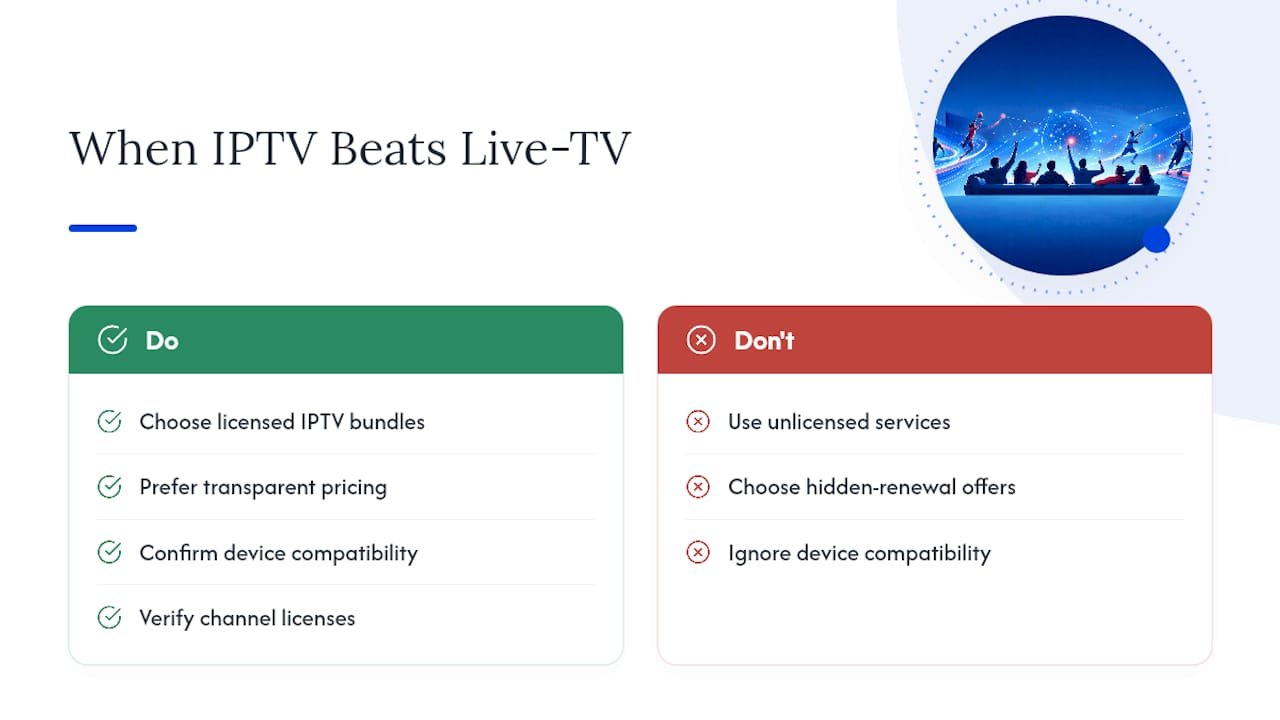
We evaluate providers based on pricing transparency without hidden renewal jumps, device compatibility across popular streaming devices, legitimate channel listings, and responsive customer support. A lot of “cheap IPTV” offers fail on the third point specifically, carrying content they have no right to distribute.
If you’re weighing ESPN Unlimited against a broader bundle, our in-depth guides break down which legal IPTV options actually deliver on their channel promises.
— ANASS
Where to Go Next for Streaming Comparisons
Picking between ESPN Unlimited, Sling Orange, and the rest of the live-TV field gets easier once you can see pricing and channel lists side by side instead of guessing from provider marketing pages.
This site built its guides around exactly that problem: cutting through vague pricing pages to show you what you actually get for the money, month by month. The Best IPTV in USA guide breaks down licensed providers by price transparency, device support, and channel coverage, so you’re not stuck comparing marketing copy against marketing copy. If you’re deciding between a live-TV streamer and a full IPTV package that covers ESPN alongside dozens of other networks, that guide is the fastest way to see your real options laid out. Start there, compare your top two or three candidates, and pick the one that matches how many games you actually watch each month.
Sources
- Disney+ Help — How to access ESPN Unlimited
- Business Insider — ESPN streaming service: price, plans, and content
- DealNews — free-trial strategies for sports streaming