
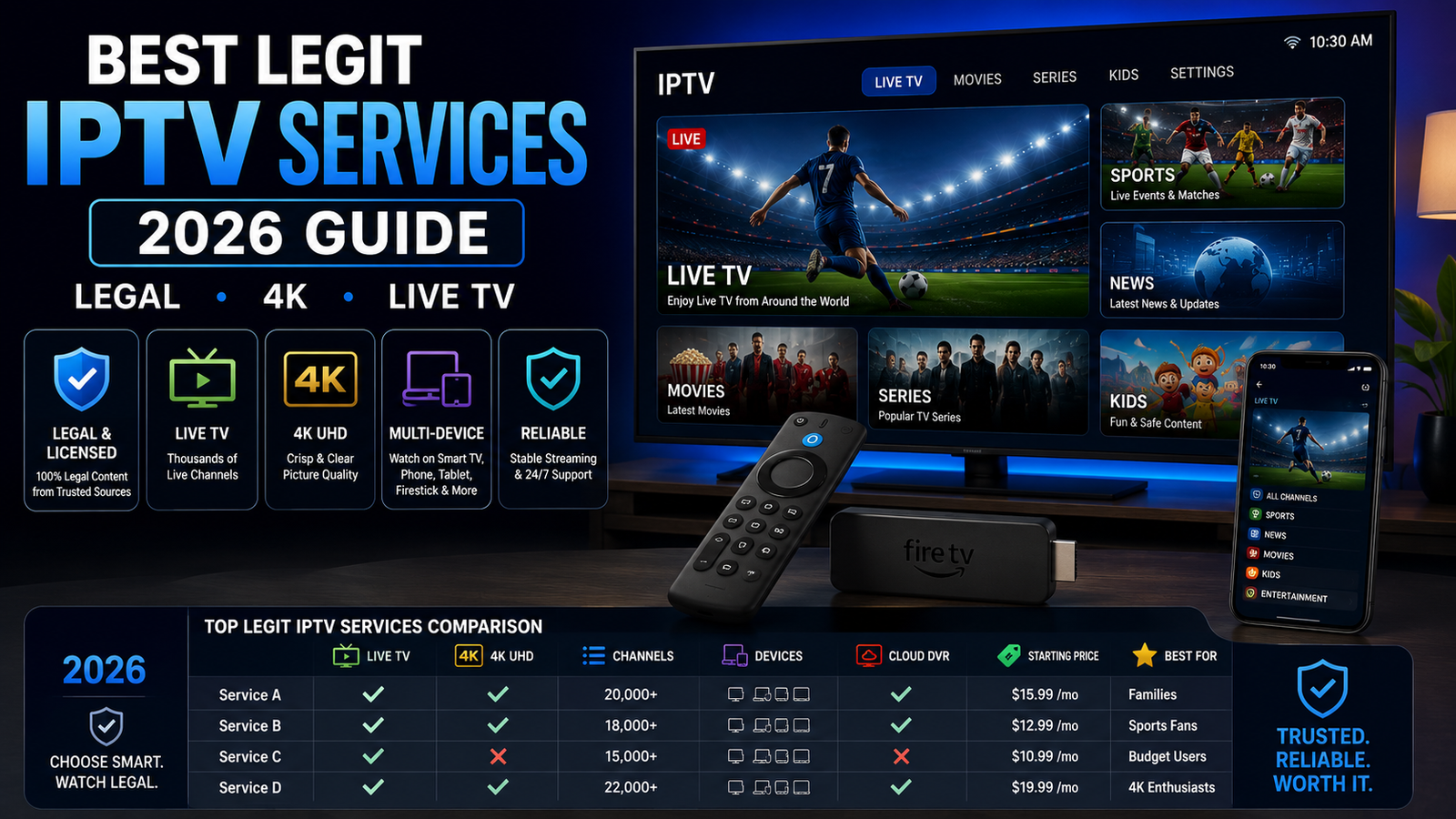
Legit IPTV Services: Best Legal Options in 2026
The best legit IPTV services in 2026 are licensed live TV apps that carry real broadcast, cable, sports, news, and entertainment channels over the internet. For most U.S. homes, the main choices are YouTube TV, Hulu + Live TV, Fubo, DIRECTV, and Sling TV. They offer clear plans, known channel partners, supported apps, and legal live TV. This guide gives you a practical IPTV service comparison so you can pick a safe plan and avoid risky too good to be true offers.

What makes an IPTV service legit in 2026?
A legit IPTV service is a licensed TV platform. It has the right to carry the channels it sells. It uses official apps or supported devices. It also shows clear pricing, billing, and support info. In plain terms, IPTV just means TV over the internet. The key question is whether the provider has the rights to stream the content.
This matters because illegal IPTV streaming services often copy the look of real apps while selling free or cheap access to premium channels, live sports, pay-per-view events, or foreign networks. The FBI advises people to avoid devices and apps that promise free shows, sports, or movies and to use official app stores and trusted publishers. fbi.gov
A simple trust check is easy: if the service is in major app stores, lists real channel packs, takes normal payments, offers real support, and does not need sideloaded apps, it is far more likely to be safe. If it claims every channel worldwide, all sports PPV, or lifetime access for a tiny fee, treat it as a warning sign.
A quick look at the best IPTV services
If you want the short version before the full IPTV service reviews, start here:
- YouTube TV — Best overall for most homes, with a familiar interface, unlimited DVR, multiview, and a strong channel mix.
- Hulu + Live TV — Best bundle value for people who want live TV plus Hulu, Disney+, and ESPN-related access in one plan.
- Fubo — Best for sports-heavy homes and for viewers who want to find available 4K sports programs.
- DIRECTV — Best premium cable-style replacement, with a more traditional guide and some 4K live sports support.
- Sling TV — Best flexible pick for budget shoppers who want to build a smaller lineup.
No single option is the best for everyone. The right service depends on your must-have channels, local stations, sports rights in your market, DVR habits, device setup, and whether IPTV 4K matters more than monthly cost.
1. YouTube TV is the best all-around choice
YouTube TV remains one of the best IPTV services for homes that want a cable-like lineup without a cable box. Its main plan includes 100+ channels, unlimited DVR space, multiview, six household accounts, and three simultaneous streams. YouTube TV also says it includes major broadcast and popular cable networks. tv.youtube.com
The biggest strength is ease of use. If your home already uses Google accounts, YouTube, Chromecast, Android TV, or Google TV devices, the setup feels familiar. Each person can have a separate profile, DVR library, and set of recommendations, so sports recordings do not crowd out kids’ shows or cooking shows.
YouTube TV is also a strong pick for 4K live IPTV, but 4K is not on every channel. The 4K Plus add-on gives select 4K content, more home streams, and offline DVR viewing for some mobile recordings. support.google.com
Choose YouTube TV if:
- You want the safest pick for most people.
- Unlimited DVR and separate profiles matter.
- You watch a mix of local channels, sports, news, and entertainment.
- You want optional 4K without moving to a niche provider.
- You prefer a clean app across common streaming devices.
The tradeoff is price. YouTube TV is not the cheapest service, and the 4K features cost extra. Still, the mix of channel depth, DVR, account sharing, and app quality makes it a balanced choice.
2. Hulu + Live TV is the strongest entertainment bundle
Hulu + Live TV is a strong choice if you want live channels and a large on-demand library in one plan. Hulu says its Live TV option includes 95+ live and local channels, unlimited DVR recording, and access to local, sports, news, and entertainment networks, with availability varying by area. hulu.com
The main strength is bundling. Instead of paying separately for live TV and a second entertainment stack, Hulu + Live TV puts live channels next to Hulu’s on-demand library and Disney/ESPN-related access. That makes it a good fit for families and casual sports viewers.
Hulu’s DVR is also solid. Hulu says Live TV includes Unlimited DVR at no extra cost, allows multiple shows to be recorded at the same time, and stores Live TV recordings for up to nine months. hulu.com
Where Hulu + Live TV is less ideal is IPTV 4K for live channels. It can be great for mainstream live TV and on-demand viewing, but shoppers who want 4K live IPTV should check current device and content support first, because 4K is not the main reason to choose it.
Choose Hulu + Live TV if:
- You want live TV and a strong on-demand library together.
- You like Hulu originals, Disney content, and ESPN-related access.
- You need locals, news, entertainment, and sports in one mainstream plan.
- You want unlimited DVR without extra hardware.
- You prefer one app group over many separate subscriptions.
Hulu + Live TV is best for viewers who want breadth and simplicity. It is not the most flexible service, but it can cut subscription clutter if you already pay for Disney-owned streaming products.
3. Fubo is built for sports-first streamers
Fubo is one of the top legit IPTV services for sports fans because its platform is built around live sports, teams, leagues, and major sports channels. Fubo’s plan page says its streaming plans let users watch live sports and TV channels, full episodes, and movies on demand. It also highlights channels such as ESPN, NFL Network, ABC, FOX, and CBS. fubo.tv
The service is especially useful if your home watches sports across more than one league and wants a guide that makes live events easy to find. Fubo’s interface feels sports-forward, which helps if games matter more than general entertainment. It is less appealing if you rarely watch sports and mainly want the lowest-cost plan.
Fubo is also one of the first names to check for 4K live IPTV. Its support page explains that users can find 4K programming by searching 4K in the app or by looking for a 4K channel logo in the Guide or Sports screens. Fubo also notes that 4K Cloud DVR is not currently supported and that live 4K pause and rewind are not available during 4K broadcasts. support.fubo.tv
That makes Fubo a strong live-event option, not the best 4K DVR option. If you want to watch a live match in higher resolution when it is available, Fubo belongs on your list. If you want to record every 4K event and watch later, read the current 4K notes before you commit.
Choose Fubo if:
- Live sports are your top priority.
- You want an app that makes games and teams easy to find.
- You care about available 4K sports feeds.
- You are comfortable checking device fit and 4K limits.
- You want a broad live TV service, not a small entertainment-only plan.
Fubo’s biggest strength is also its filter: if your home does not watch much sports, you may pay for features you do not use.
4. DIRECTV is the premium cable-style replacement
DIRECTV is a good fit for viewers who want internet TV but still like a classic pay-TV feel. DIRECTV’s streaming packages highlight national and local channels, no annual contracts, satellite-free streaming, and Cloud DVR recording. directv.com
The advantage is the familiar feel. DIRECTV feels closer to a regular channel guide than a light streaming app. That can help if you are moving from cable or satellite and want a known layout. It can also be a strong choice for regional sports, premium networks, and a fuller live TV bundle, although exact channels still depend on package and location.
DIRECTV also matters in any IPTV service comparison that includes 4K. Its support pages say base Internet and STREAM plans can access 4K on compatible gear, and it lists live 4K sports on channels 105 and 106. DIRECTV also says 4K UHD programs can be recorded on supported devices. directv.com
The key word is occasional. DIRECTV is not saying every major game or channel will be 4K. It is better seen as a premium live TV service with some 4K support, not a full 4K cable replacement.
Choose DIRECTV if:
- You want a more traditional live TV experience.
- Local, regional, and national channels matter.
- You want a premium-feeling replacement for cable or satellite.
- Occasional 4K live sports support is a plus.
- You prefer a deep channel package over a small budget bundle.
DIRECTV may not be the cheapest choice, but it can be the right one for homes that want the least disruptive move away from traditional TV.
5. Sling TV is the flexible budget pick
Sling TV is the best option here for viewers who want to keep costs lower by choosing a smaller base package and adding only what they need. Sling’s model is more modular than many other IPTV streaming services, with base plans, mini channel packs, premium add-ons, and short-term passes. sling.com
That flexibility helps if you know exactly what you watch. For example, a home that mainly wants ESPN, TNT, CNN, or one entertainment add-on may build a better package than a full-size live TV bundle. Sling also notes that local channel availability varies, and Sling Orange does not include local channels, so ZIP-code checking is important. sling.com
DVR is more limited out of the box than some competitors. Sling says subscribers get 50 hours of free DVR storage and can add Unlimited DVR for an extra monthly fee, while some channels and antenna-added locals cannot be recorded. sling.com
Sling is not the strongest pick for IPTV 4K or for homes that want every major local, sports, and entertainment channel in one place. Its value is control. You start smaller, add selectively, and avoid paying for a huge bundle if you do not need one.
Choose Sling TV if:
- You want a flexible, lower-cost live TV setup.
- You are comfortable comparing channel lineups before you subscribe.
- You do not need every local channel inside the app.
- You prefer add-ons over a large default bundle.
- You want a legal alternative to suspicious low-cost IPTV offers.
Sling rewards careful shoppers. If you subscribe without checking your must-have channels, it may feel incomplete; if you build it on purpose, it can be one of the smartest legal options.
Which service is best for 4K live IPTV?
For most shoppers, YouTube TV, Fubo, and DIRECTV are the first services to compare for 4K live IPTV, but each handles 4K in a different way. YouTube TV puts 4K behind its 4K Plus add-on for select live and on-demand content. Fubo helps users find available 4K programming in the app, but it limits 4K DVR and live playback controls. DIRECTV supports 4K on compatible setups and offers occasional live 4K sports channels. support.google.com
The practical takeaway is simple: do not choose a service for the word 4K alone. Check what is really available in 4K, whether your device works, whether your TV and HDMI setup are ready, and whether the events you want are included. Live sports in 4K are still more limited than normal HD.
Before subscribing for IPTV 4K, check:
- Whether 4K costs extra.
- Which channels or events are really in 4K.
- Whether your streaming device is supported.
- Whether your TV, HDMI cable, and internet speed are ready.
- Whether 4K recordings are allowed.
- Whether pause, rewind, and fast-forward work on live 4K feeds.
If your home mostly watches news, sitcom reruns, and casual entertainment, 4K may not be worth the focus. If you watch major live sports on a large 4K TV, it can be a real upgrade when the feed is available.
A practical IPTV service comparison by viewer type
The easiest way to compare legit IPTV services is to start with the viewer, not the brand. A service that is great for a sports fan may be wasted on someone who mainly watches local news and a few cable channels.
Use this quick decision guide:
- Best for most homes: YouTube TV, because it balances channels, DVR, profiles, device support, and optional 4K.
- Best for bundle seekers: Hulu + Live TV, because live channels sit next to a major on-demand streaming ecosystem.
- Best for sports fans: Fubo, because sports discovery and available 4K event support are central to the experience.
- Best cable-like replacement: DIRECTV, because it keeps a familiar premium TV structure while streaming over the internet.
- Best flexible budget setup: Sling TV, because you can start lean and add the extras you actually want.
There are also honorable mentions. Philo, for example, is a legit live TV streaming service with 70+ channels, plans starting at $25, 100+ ad-supported free channels, and DVR saving options up to one year, but it is not a full replacement for sports-heavy or local-heavy homes. help.philo.com
How should you choose the right IPTV plan?
Choose the right IPTV plan by listing your must-have channels first, checking local and regional availability by ZIP code, comparing DVR rules, confirming device support, and then deciding whether 4K or bundled on-demand libraries are worth the extra cost. The best plan is not the one with the longest channel list; it is the one that matches what your home actually watches.
A smart buying process looks like this:
- Write down your must-have channels. Include local ABC, CBS, FOX, NBC, PBS, regional sports networks, ESPN, league networks, news channels, kids’ networks, and premium channels.
- Check your ZIP code on each provider site. Local stations and regional sports can vary by location, even on national services.
- Test the app on your main device. A service can look good on paper and still feel awkward on your TV, remote, or phone.
- Review DVR expiration and ad rules. Unlimited DVR is helpful, but recordings may still expire, and on-demand versions can use different ads.
- Confirm 4K details before paying. Supports 4K does not mean all channels stream in 4K.
- Avoid unofficial IPTV apps. If a provider needs sideloading, crypto-only payment, or a private message app to subscribe, walk away.
The final step is to cancel what you do not use. Live TV streaming is at its best when you review your plan every few months, especially after a sports season ends or a favorite show moves platforms.
Final takeaway
The top legal IPTV choices for 2026 are mainstream, licensed services with clear plans and real support. YouTube TV is the best overall pick, Hulu + Live TV is the strongest bundle, Fubo is the sports-first choice, DIRECTV is the premium cable-style option, and Sling TV is the flexible budget-friendly alternative.
For the best result, treat this as a shortlist rather than a one-size-fits-all answer. Compare your channels, test your devices, check current pricing, and be realistic about whether 4K live IPTV is a must-have or just a nice extra. The safest and smartest IPTV service is the one that gives you the programming you actually watch without putting your devices, data, or wallet at risk.
Q&A
Question: What is the easiest way to tell whether an IPTV service is legitimate?
Short answer: Look for licensing signals and basic consumer protections. A legit service should be in official app stores, list known channel packages, accept standard payment methods, give clear billing terms, and offer real support. Be careful if a provider promises every channel worldwide, all sports PPV, or lifetime access for a very low price, especially if it needs sideloaded apps, crypto-only payment, or private-message signups.
Question: Which IPTV service is best if I want the safest all-around choice?
Short answer: YouTube TV is the best overall option for most homes because it balances a broad channel lineup, unlimited DVR, separate profiles, multiview, supported apps, and optional 4K. It is not the cheapest choice, and 4K costs extra, but it is a strong default pick for viewers who want local channels, sports, news, entertainment, and a simple app.
Question: Should I choose Fubo or YouTube TV for live sports?
Short answer: Choose Fubo if sports discovery and available 4K sports feeds are your top priorities, since its interface is built around teams, leagues, and live events. Choose YouTube TV if you want a more balanced service that still handles sports well but also gives you household profiles, unlimited DVR, broad channel coverage, and an easy overall experience. In both cases, check your ZIP code and must-have sports channels before you subscribe.
Question: Is 4K live IPTV available on every channel?
Short answer: No. The guide shows that Supports 4K does not mean every channel or event streams in 4K. YouTube TV offers select 4K content through its 4K Plus add-on, Fubo helps surface available 4K programming but has limits around 4K DVR and live playback controls, and DIRECTV offers occasional live 4K sports channels on compatible setups. Always confirm the events, devices, TV settings, and recording rules before paying extra for 4K.
Question: Why might Sling TV be better than a larger live TV bundle?
Short answer: Sling TV can be a better fit if you want to keep costs lower and build a smaller lineup around the channels you actually watch. Its modular setup lets you start with a base plan and add extras selectively. The tradeoff is that local channel availability can be limited, DVR is more restricted unless you pay for an upgrade, and it is not the best choice for homes that want a full cable-style lineup or strong IPTV 4K support.
One Reply to “Legit IPTV Services: Best Legal Options in 2026”