
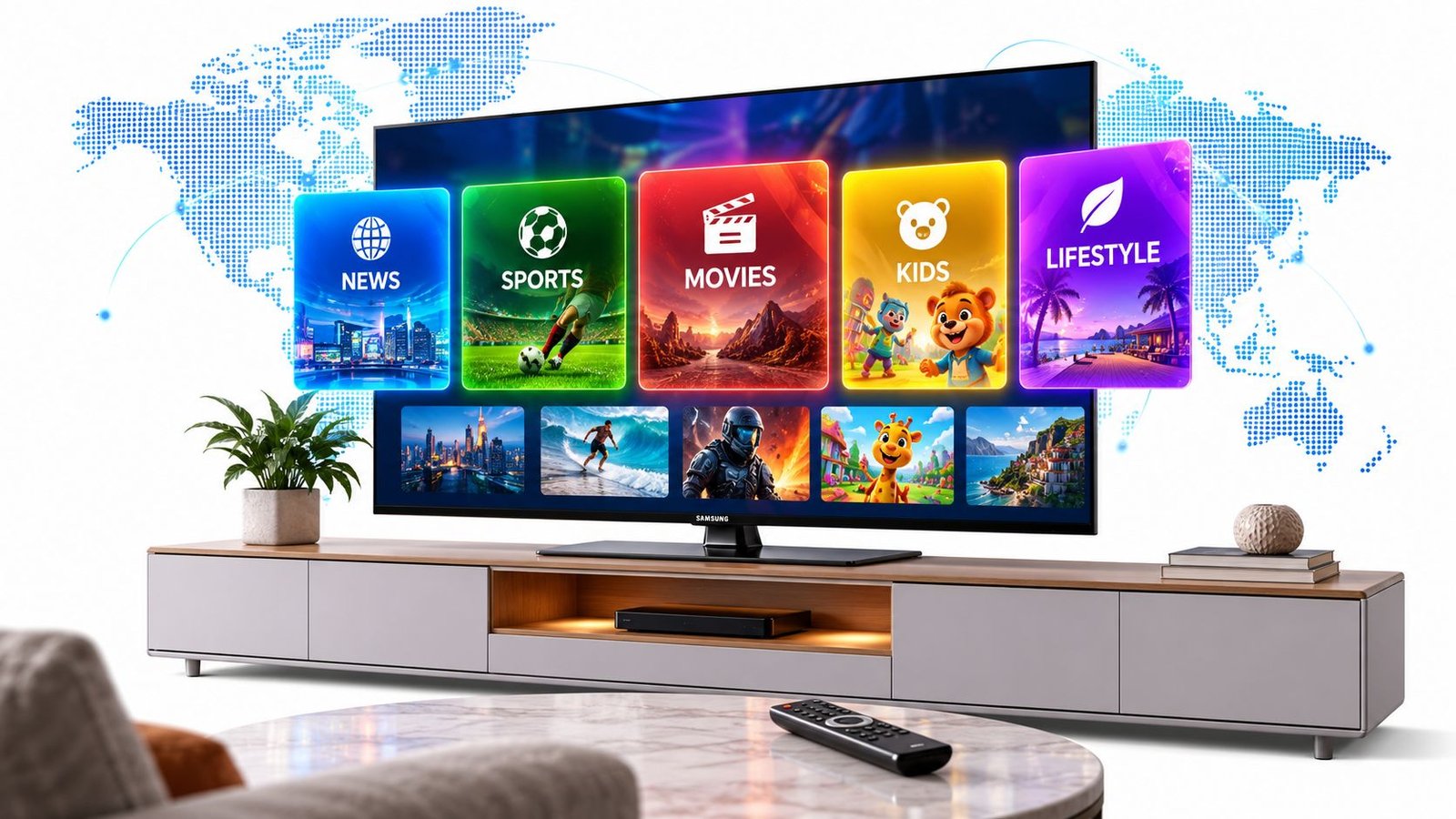
You plug in a new Samsung TV, grab the remote, and land on a live channel grid that looks a lot like cable. Then the questions start. Why are there hundreds of channels, why is there no subscription screen, and why does one Samsung TV owner see a different lineup than another?
The short answer is that Samsung TV Plus is a FAST service, which means Free Ad-Supported Streaming Television. It feels like traditional TV because it uses a channel grid, but it runs over the internet and the lineup changes by country, device, and licensing. Samsung now says the service spans over 4,300 ad-supported linear channels across 30 countries and reaches more than 100 million monthly active users worldwide Samsung Newsroom UK, but that global scale doesn't mean every household sees the same guide.
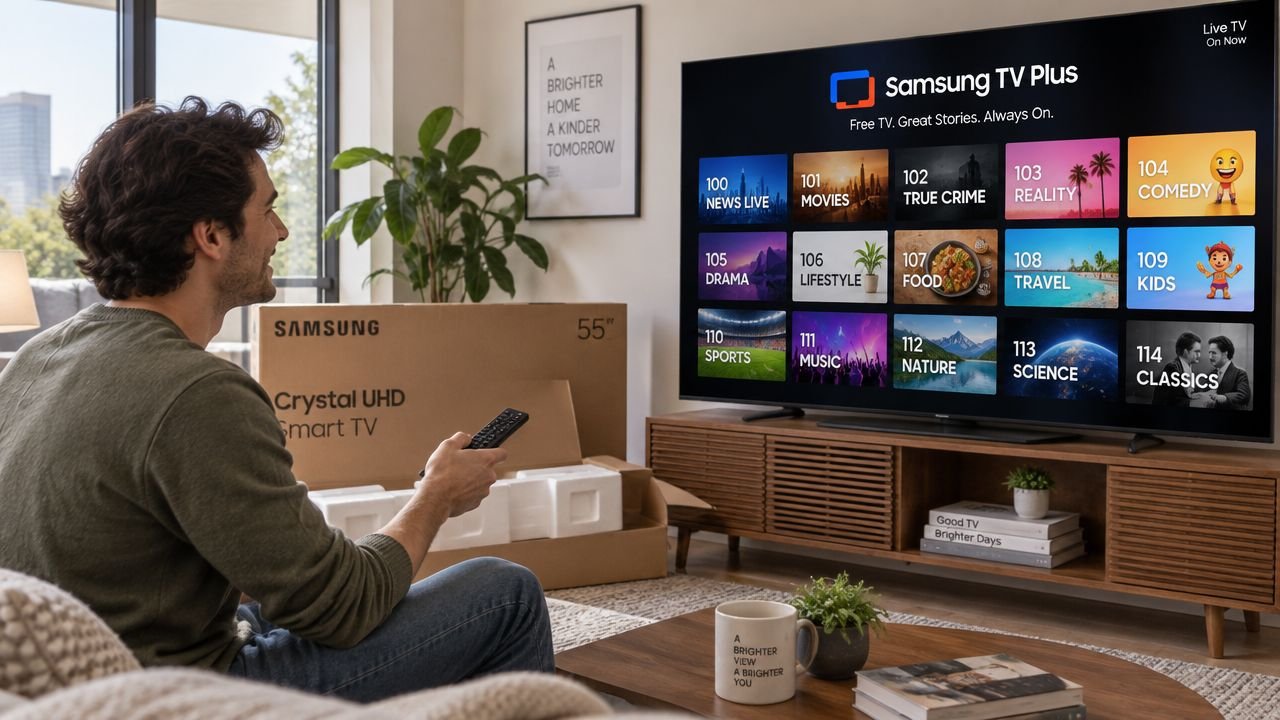
If you're trying to figure out what channels are on Samsung TV Plus, the answer is less about a single master list and more about how to read a moving regional catalog. A U.S. Samsung TV owner, a viewer in the U.K., and someone traveling with the same brand of TV can all see a different live grid. That's normal, and it's the key thing many viewers miss when they search for a clean channel list.
The practical way to think about it is simple. Samsung TV Plus behaves like a curated TV lineup, not a fixed cable package. The channel tiles, category rails, and local licensing deals matter more than a universal number map. If you want the version built for your market and your device, start with the service itself, then compare it with a country-specific guide like this Samsung TV Plus live TV overview.
Table of Contents
- A New Samsung TV, Hundreds of Channels, and One Big Question
- How Samsung TV Plus Works as a FAST Channel Grid
- Channel Categories You Will See in the U.S. Lineup
- Why Your Country Sees a Different Channel Count
- How the Lineup Grew From a Few Channels to Thousands
- Finding the Channels You Want to Watch
- What Samsung TV Plus Is Not, Despite the Hype
- What to Watch Next as the Catalog Keeps Changing
A New Samsung TV, Hundreds of Channels, and One Big Question
You finish setup, press the home button, and a live guide appears with channel numbers, logos, and programs already playing. That moment usually answers one question and raises another, because the interface feels familiar while the service itself works very differently from cable.
The key is to read the grid as a regional channel catalog, not a fixed package. Samsung TV Plus is built into Samsung's smart TV ecosystem, so the lineup depends on the device and the market where it is sold. Two people with the same brand of TV can open the service and see different live channels, and that is normal.
For a new owner, the most useful question is the practical one: which channels are on your Samsung TV Plus, in your country, on your screen right now? A country-specific guide, such as this Samsung TV Plus live TV overview, can help you compare what shows up on the device with a broader list. Samsung's own U.S. materials say the service offers 300+ live TV channels and 1,000s of movies and shows on demand in the U.S., while its U.S. channel-lineup PDF shows that the guide is tied to a specific market and can differ by region.
Practical rule: the answer always depends on which country and which device you are using.
That matters because Samsung TV Plus changes over time. A channel you saw in a screenshot last month may have moved, been renamed, or disappeared from your market's grid. Sports, local-style news, and niche entertainment tend to vary the most, since they depend on licensing and carriage deals that are not the same everywhere.
Read the grid first, count the channels second. Once you understand that Samsung TV Plus is a living lineup, the interface starts to feel organized instead of random.
How Samsung TV Plus Works as a FAST Channel Grid
The grid works like a busy terminal. Each live channel is its own nonstop stream, and each one serves a different viewing habit. News, sports, movies, kids, home improvement, and music can all sit side by side, yet each row is really a shortcut to a specific kind of channel.
Why the channels feel grouped instead of numbered
FAST services are built for linear viewing, so the guide still feels like TV even though it arrives over the internet. Samsung describes the service as pre-programmed, curated TV supported by ads, which is why the lineup is arranged around genres and channel rails instead of a cable-style universal map Samsung Ads blog.
A viewer might move from a news rail to a business channel, then drift into movies, then land on cooking or home improvement. That experience is closer to walking through themed sections in a large venue than opening one fixed app. In the U.S. grid, the published lineup includes examples such as ION, This Old House Makers, Tastemade Home, and The Design Network, which gives you a sense of how broad the mix can be.
Why the service is free
Samsung TV Plus is free because advertising, not subscriptions, pays for the streams. That makes it feel familiar to anyone who grew up with broadcast TV, except the signal arrives through your internet connection instead of an antenna or cable line. Samsung also works with many publishers and media companies, while building some themed channels in-house, so the catalog combines licensed brands with Samsung-curated streams.
FAST means live TV with ad inventory, not a paid package with a locked channel bundle.
If you want to compare the streaming side with the connection side, a practical internet speed guide for IPTV can help you think through bandwidth and device needs for internet-delivered TV.
Channel Categories You Will See in the U.S. Lineup
The U.S. lineup is easiest to understand when you stop trying to memorize every brand and start spotting the category structure. Samsung's own channel list shows a FAST-style grid with channels grouped around news, sports, home, movies, music, kids, and niche interests Samsung TV Plus U.S. channel list PDF. That structure is what makes the guide feel broad even when you only browse a few rails.
| Samsung TV Plus U.S. Channel Categories in 2026 | Sample Channels | Typical Content Type |
|---|---|---|
| News and Opinion | ABC News Live, CBS News 24/7, NBC News NOW, Bloomberg | Live news, business updates, opinion, breaking coverage |
| Entertainment and Reality | Judge Judy, Dateline 24/7, comedy rerun channels | Court shows, true-crime style entertainment, sitcom reruns |
| Movies and Series | The Asylum, FilmRise Classic TV, Paramount Movie Channel | Films, library TV, genre programming |
| Sports | beIN Sports Xtra, Stadium, MLB-related channels | Live sports, highlights, talk, recaps |
| Kids | Kartoon Channel, Ryan and Friends | Cartoons, kids' entertainment, family-friendly programming |
| Lifestyle and Home | This Old House Makers, Tastemade Home, The Design Network | Cooking, home improvement, design, travel |
| Crime and True Crime | Crime-focused branded channels, courtroom-style feeds | Documentary crime, court TV, thriller reruns |
| Music | Music video channels and artist-themed streams | Music videos, themed playlists, artist blocks |
News and opinion sit near the top of the grid
The news section is usually the first place people test when they want familiar brands. Channels like ABC News Live, CBS News 24/7, NBC News NOW, and Bloomberg make the guide feel instantly recognizable, even though the delivery model is different from cable. These are live, ad-supported streams, not local broadcast affiliates.
Entertainment, movies, and niche channels blur together
The entertainment side is where people tend to expect a clean genre line, but Samsung TV Plus doesn't always separate things neatly. A single crime-focused channel might mix courtroom shows, documentary-style content, and thriller reruns. A movie channel might run classic films, library TV, or themed marathons depending on the brand and region.
Sports and kids don't behave like cable channels
Sports channels such as beIN Sports Xtra or Stadium are part of the lineup, but they're not a substitute for every league or every local game. Kids' channels, including Kartoon Channel and Ryan and Friends, are easier to understand because the branding usually tells you exactly what audience they serve. That makes the category rails useful, but not always exhaustive, especially when you're looking for one specific program.
Why Your Country Sees a Different Channel Count
Open Samsung TV Plus in one country and you may see a modest grid. Open it somewhere else and the lineup can look much larger. That is normal for a FAST service, because the catalog is built market by market, not as one fixed global list. Samsung says the service now spans over 4,300 channels globally across 30 countries, while the U.S. offer is a separate regional version with its own mix of live channels and categories.
Local rights shape the guide
A channel can exist in Samsung TV Plus and still not appear in your country. Rights, language, ad sales, and regional programming deals all shape what lands on your screen. If a channel is licensed for one market but not another, the guide will leave it out. The same goes for ad-supported feeds built for a different audience.
The grid also depends on the device
Samsung ties the service to its smart TV ecosystem and active Samsung devices, so the experience can vary by screen as well as by country. A newer TV may show a different mix from another Samsung device in the same household. That is why channel count is a useful clue, but not the whole answer.
| Samsung TV Plus Channel Counts by Region (Approximate) | Approx. Channel Count | Notes |
|---|---|---|
| Global | Over 4,300 | Samsung's latest global figure across 30 countries |
| United States | 300+ | Samsung's current U.S. product-page figure |
| United States, alternative Samsung reporting | Nearly 700 | Samsung later described the U.S. market as nearly 700 channels in a newsroom update Samsung Newsroom US |
If you travel with a Samsung TV or change regions, expect the guide to shift. That is how a licensed FAST catalog works.
The main point is simple. Do not treat the channel count as one universal number. Treat it as a snapshot of what is licensed and available where you are.
How the Lineup Grew From a Few Channels to Thousands
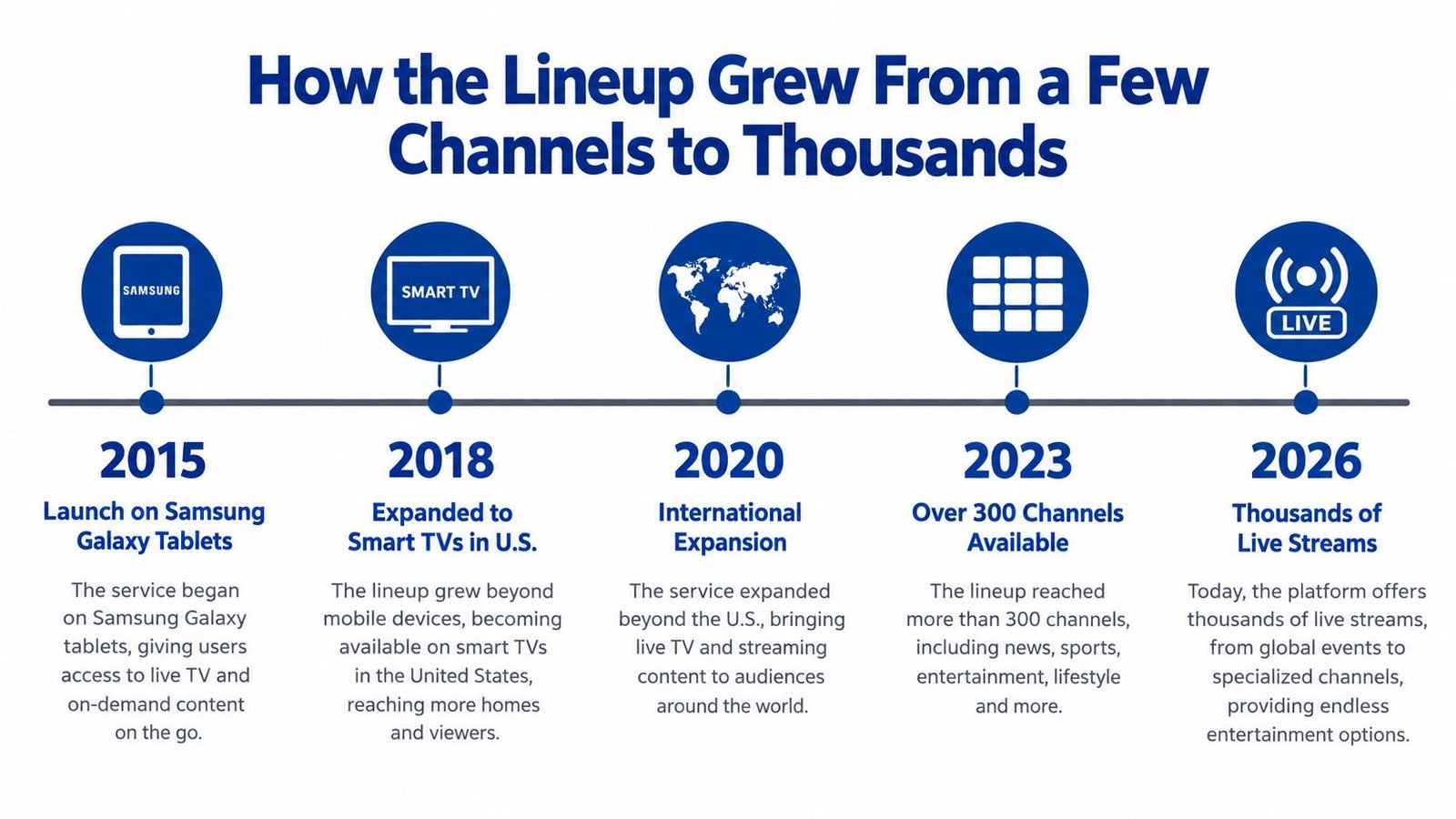
Samsung TV Plus did not begin as a giant catalog. It started as a smaller service and grew into a much larger regional and global lineup, with Samsung’s later newsroom updates and product materials showing steady expansion across markets. The best way to read that growth is to treat the channel list as a living grid, not a fixed count.
The Indian launch shows the playbook
Samsung’s reporting on the India launch described a starting lineup of 27 channels, with 22 global channels and 5 local channels Samsung Newsroom US. That split is useful because it shows the pattern clearly. Samsung brings in familiar international brands first, then layers in local feeds that fit the country.
The approach makes sense for a FAST service. Samsung does not need to wait for a perfect catalog before opening the door. It can launch with a workable mix, then add more region-specific programming as rights, partners, and audience demand line up. That is why the service can feel local without losing the channels many viewers already recognize.
Growth now looks like constant maintenance
Samsung’s own materials also show the lineup expanding across markets such as the U.K., Australia, New Zealand, Singapore, Thailand, the Philippines, Brazil, and Mexico. The point is not just that the catalog got bigger. It keeps changing as channels are added, reshuffled, or adjusted to match licensing and viewer demand.
The U.S. figure in Samsung’s product materials has also changed over time, which is a good reminder that one number rarely captures the full picture. Samsung TV Plus grew from a small streaming add-on into a large live channel grid, and the version you see today is only a snapshot. If a channel appears, disappears, or moves category, that is part of how the service works.
Finding the Channels You Want to Watch
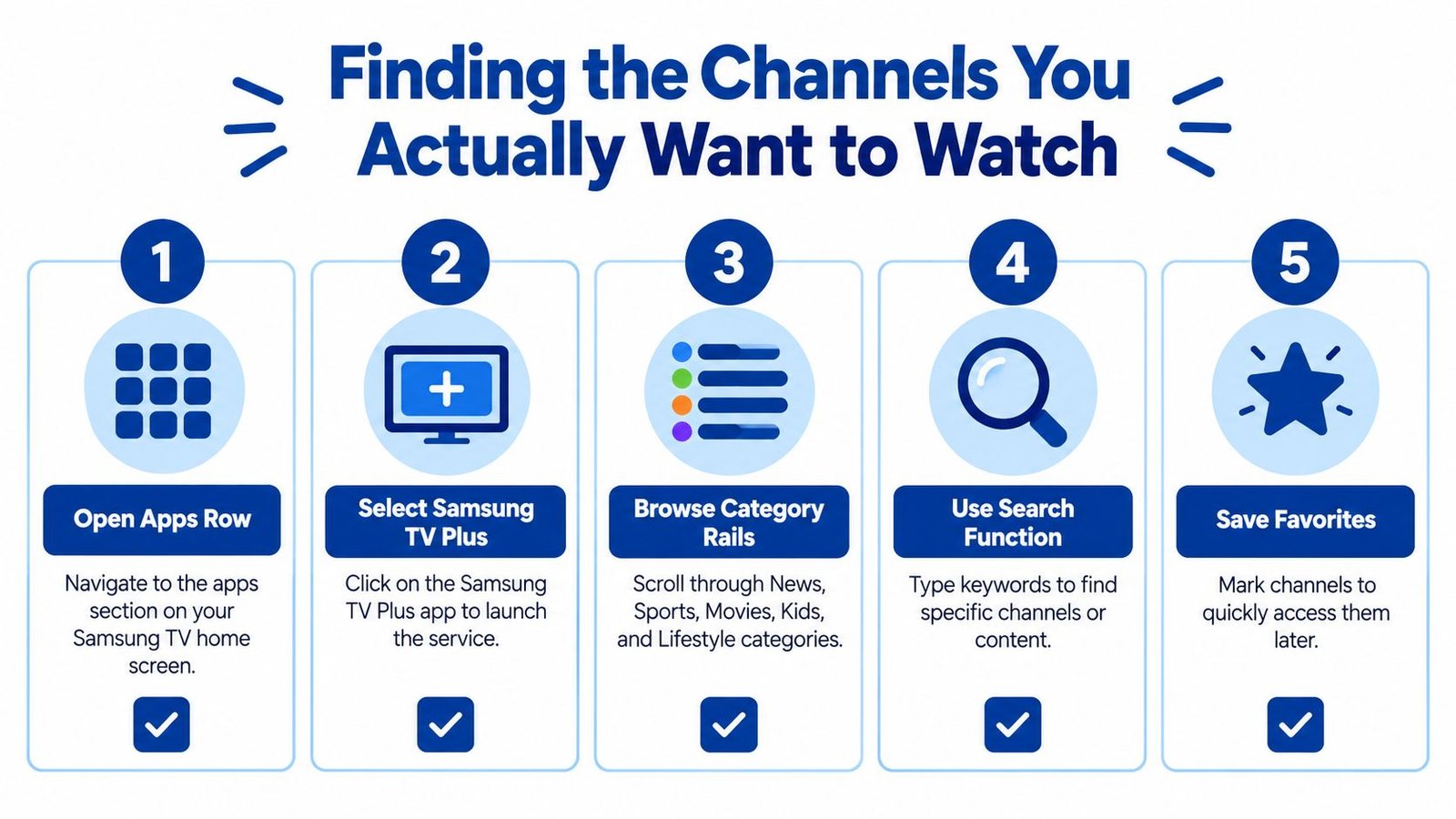
The quickest way to get useful from Samsung TV Plus is to browse by category instead of hunting channel numbers. Open the service from the apps row, then move through the rails for News, Sports, Movies, Kids, Lifestyle, Crime, and Music. The grid is designed for scanning, and the logos usually tell you faster than a title whether a channel fits what you want.
Start with the official guide, not a stale screenshot
Samsung publishes a U.S. channel list PDF, and as noted earlier, that is the closest thing to a current snapshot of the live grid. A random blog post can still help you orient yourself, but it can also fall behind when Samsung adds, removes, or reshuffles channels. The official guide is the better starting point when you want to see what is live in your market right now.
Use search when you already know the brand name
If you are looking for one specific channel, type the brand name instead of scrolling endlessly. That works especially well for channels like ABC News Live, Paramount Movie Channel, or Kartoon Channel, because it narrows the grid much faster than browsing every rail. If the result does not appear, it usually means the channel is not in your market or it is not available on that device.
Save the channels you use
Samsung TV Plus supports a guided, lean-back experience, so the practical move is to favorite the channels you return to most often. Check the program guide if you want to see what is next on a channel, and use the settings menu if a category looks thinner than expected. A missing section is often a rights or region issue, not a problem with your TV.
Useful habit: treat the guide like a living menu. Recheck it after app updates, because the lineup can change without warning.
The more you use the service this way, the less it feels like a maze. You stop searching for a single universal list and start building your own short list of channels that fit your habits.
What Samsung TV Plus Is Not, Despite the Hype
Samsung TV Plus is often described as a cable replacement, but that idea breaks down fast if you’re looking for local broadcast affiliates, regional sports networks, or a full substitute for your old TV bundle. It’s a curated ad-supported linear service, useful for background viewing and channel surfing, but it doesn’t behave like a full cable package in the ways many people expect. For a broader comparison of live-TV options, this review of live TV streaming services is a better fit than assuming Samsung TV Plus can replace everything.
Local TV and sports are where confusion starts
People often expect the channel grid to include local ABC, NBC, CBS, or Fox affiliates in their area. That’s not the same thing as the national news streams Samsung TV Plus carries. The service also doesn’t function like a full RSN bundle, so it won’t solve every live sports need or blackout headache.
On-demand titles are a separate part of the service
Samsung TV Plus also includes on-demand movies and shows in some markets, but that library doesn’t follow the same logic as the live channel grid. A 24/7 stream is programmed differently from a title library, and that’s where many new users get tripped up. They expect a single menu to behave like both cable and a streaming app, but those are separate experiences.
If you treat Samsung TV Plus as a replacement for everything on cable, you’ll keep hitting gaps. If you treat it as a strong free live-TV layer with a lot of discovery value, it makes a lot more sense.
What to Watch Next as the Catalog Keeps Changing
Samsung TV Plus isn’t done evolving. The company keeps adjusting the lineup as it adds new partners and regions, so any printed list ages quickly. If you want the most current view, the in-app guide matters more than screenshots or old blog posts.
The biggest clue that a change is coming is usually visible in three places. Samsung Newsroom announcements, partner press releases, and category shifts in the on-screen guide all hint at what’s being added or reshuffled. That’s where you’ll notice creator-led channels, sports talk feeds, and more format experiments before they become widely talked about.
A smart habit is to check the catalog on a schedule instead of only when something feels broken. Every few months, open the guide, revisit your favorite categories, and see what’s new. Samsung TV Plus works best when you treat it like a discovery layer, not a final destination, and pair it with one or two on-demand services that fill the gaps you really care about.
If you want help comparing live TV options beyond Samsung TV Plus, IPTV Subscribe breaks down streaming costs, channel access, setup tips, and device guides in plain English. It’s a useful next stop if you’re trying to build a TV setup that fits your home, your budget, and the channels you really watch.
Built with Outrank app